For contractors
The RFP Portal at tcrfp.com is where contractors find and bid on community
work.
Getting an account
Register on the portal. You can also arrive by invitation from a community that wants you specifically, or from the link on a community's public website.
Companies can have several people on one account, managed under team management, so an estimator and an owner do not share a login.
Larger firms can set up single sign-on against their own identity provider.
Finding work
- Browse RFPs lists what is open. It is public, so you can look before you register.
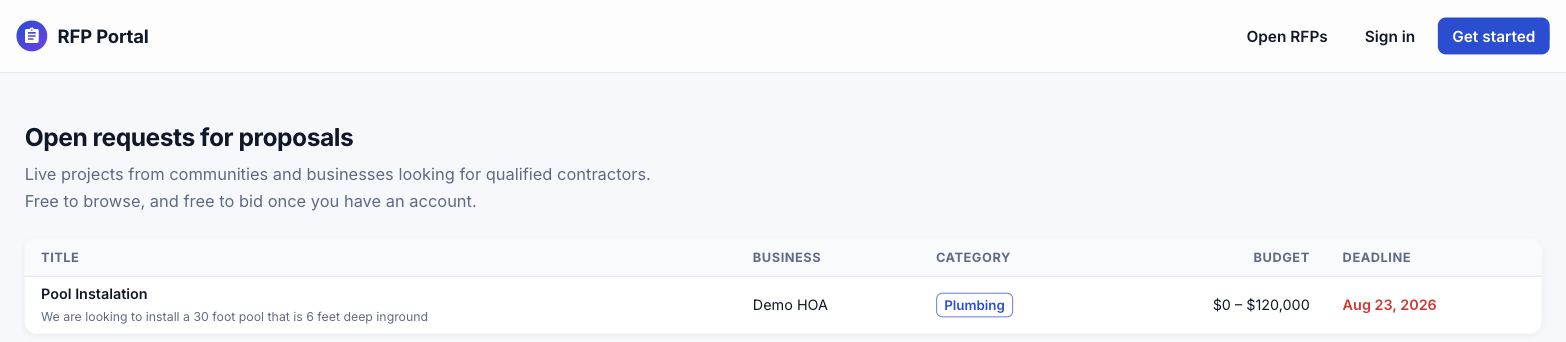 Title, community, category, budget range and deadline, readable without an account.
- Individual RFP pages are public and indexed, which is why a search for your trade plus a town can land you directly on a solicitation.
- Pre-approved RFPs are restricted to a community's approved vendor list. If you cannot bid on one, that is why.
Before you bid
Read the required submissions and the scoring criteria. They tell you what the community will actually judge, which is often not only price.
Read any addenda. They change the scope, and pricing the original scope after an addendum is published is how a bid gets discarded.
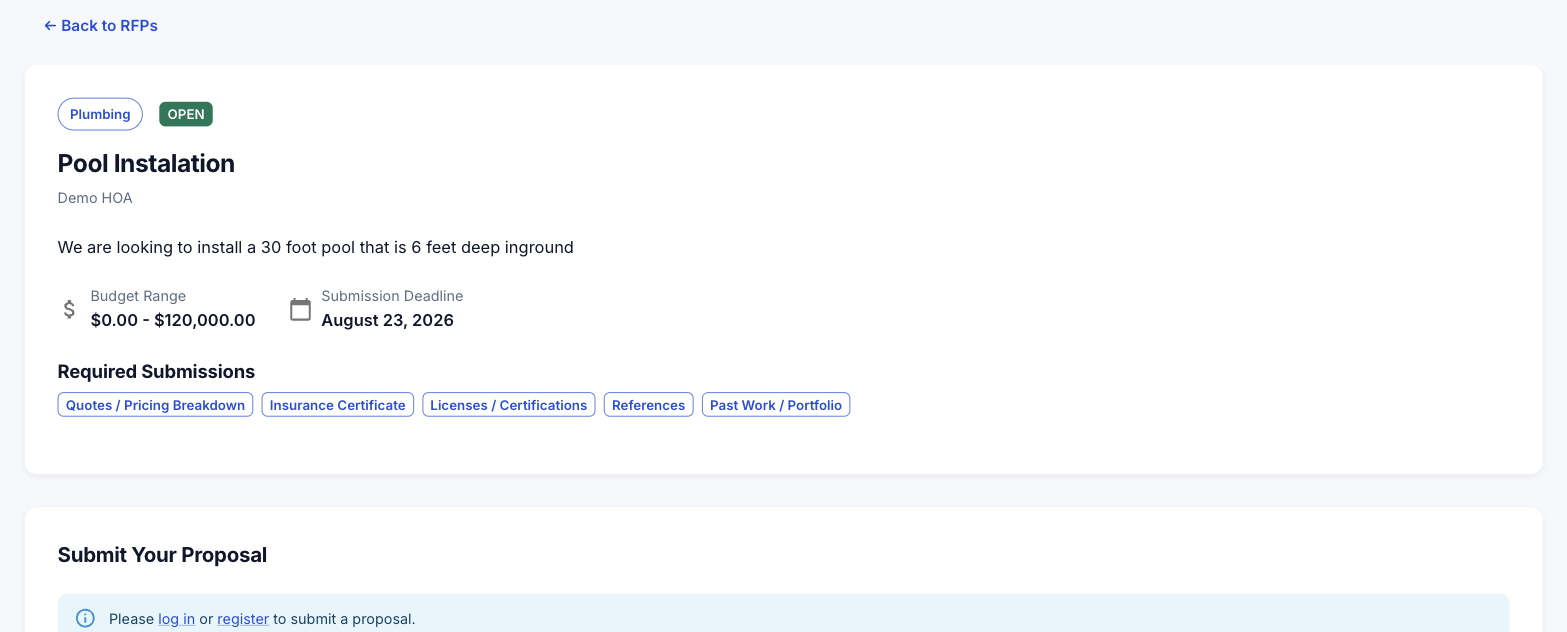 Required submissions are listed explicitly. Missing one is how a bid gets set aside.
Asking questions
Ask through the RFP's question section rather than by email. Answers are usually published to all bidders, which means the reply you get is on the record and cannot be disputed later.
Submitting a proposal
Provide your company and contact details, a description of your approach, and either line items (description, quantity, unit price) or a lump sum. Attach every required document, tagged by type.
Line items win more often on anything with variable quantities, because a community can compare them. A lump sum on a complex scope invites the question of what is actually in it.
You can save proposal templates so your standard terms and boilerplate are not retyped per bid.
Showcase profile
Your showcase profile is a public, indexed page: what you do, where you work and your past projects. It is the part of the portal that brings work to you rather than the other way round, so it is worth filling in properly.
Insurance documents
Keep current insurance on file in the portal's insurance section. Communities check it, expired certificates are the most common reason a bid is set aside, and uploading once beats attaching the same PDF to every proposal.