Payments
Everything you owe your community, and every way to pay it.
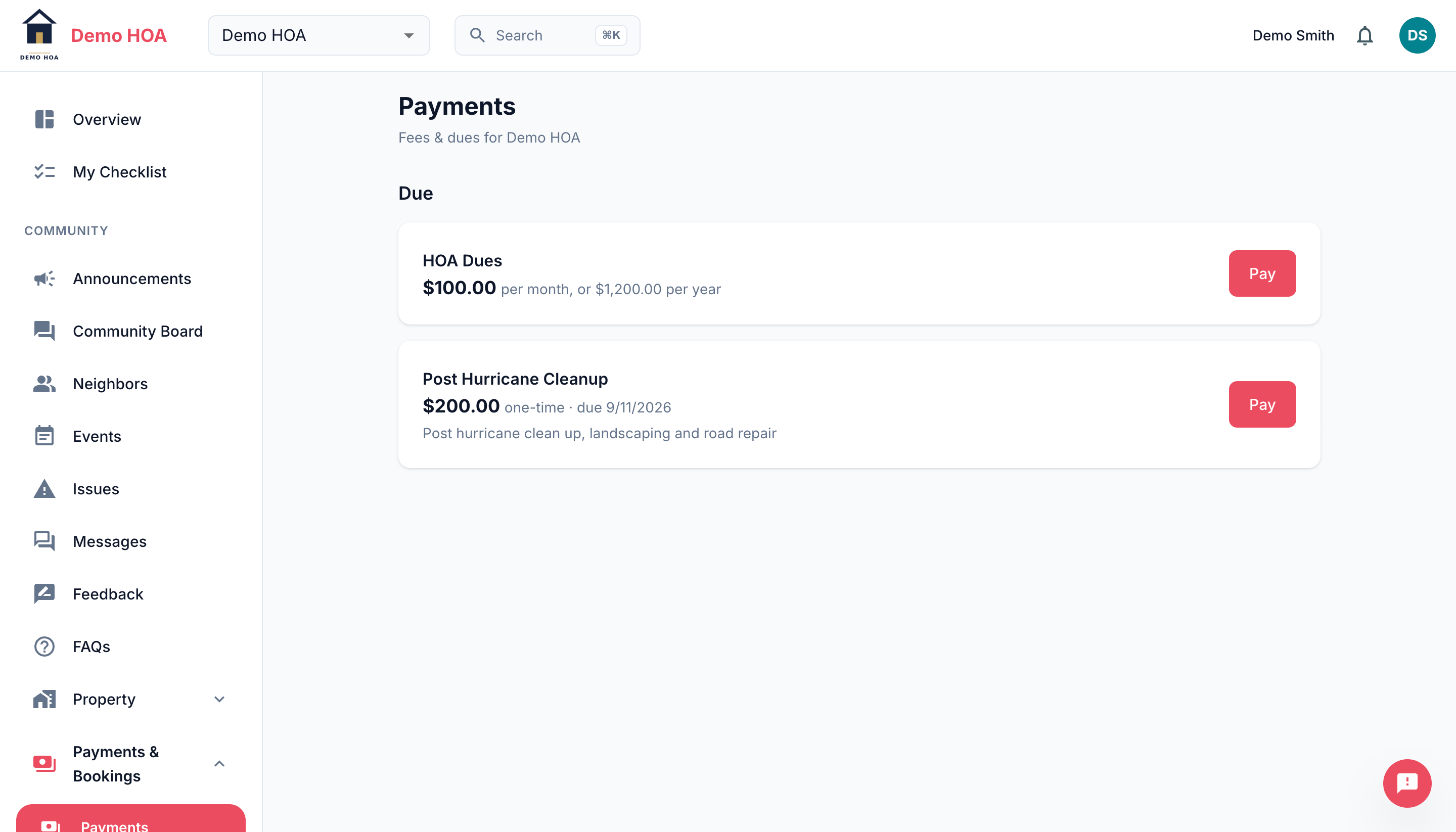 A recurring fee offering monthly or annual billing, and a one-time assessment with a due date.
What you might owe
| Kind | Typical example |
|---|---|
| Dues | Recurring assessments, monthly, quarterly or yearly |
| Fines | A penalty attached to a violation |
| Special assessments | A one-off charge for a specific project |
| Other | Anything else your community charges for |
Some charges apply to everyone. Others are assigned to specific members, sometimes at a custom amount, which is how a community handles a fee that only some homes owe or a negotiated arrangement.
Paying
Paying online opens Stripe Checkout. Your card details go to Stripe, never to CivicPort, and money goes to your community's own Stripe account rather than to CivicPort.
A one-time fee is paid once. A recurring fee becomes a subscription that charges itself on schedule.
Monthly or yearly
Where your community allows it, a monthly fee can be paid yearly instead. The yearly price is usually twelve times the monthly one but your community can set it lower as a discount for paying up front. Choose the cadence at checkout.
Autopay and the billing portal
An active recurring fee shows when it will next charge. Manage the card, pause, or cancel through the Stripe billing portal, reachable from this page.
You get an upcoming autopay notification before a subscription charges. Nothing is owed and nothing needs doing; it exists so a charge is never a surprise.
Status meanings
| Status | Meaning |
|---|---|
| Unpaid | Nothing received |
| Processing | Payment submitted, not yet settled. Bank debits sit here for a few days. |
| Paid | Settled, one-time fee |
| Active | Subscription live and charging |
| Past due | A subscription charge failed |
| Paused | Temporarily stopped, no charges |
| Canceled | Ended |
Receipts
Every settled payment keeps a receipt link. That is your proof of payment, and the one thing worth saving outside CivicPort at closing time.
Paying by cheque, cash or bank transfer
If your community accepts offline payments, this page says so, along with who to make cheques payable to and where to send them.
Offline payments are recorded by an admin after the money arrives, so there is a gap between your posting a cheque and this page showing it as paid. If your community lists no offline methods, online is the only way.
Late fees
Where a community has a collections policy with late fees, a charge past its grace period can accrue a flat or percentage late fee, and escalating notices go out at set intervals. The policy is your community's, not CivicPort's.