My Checklist
Your community's onboarding and annual requirements, in one list.
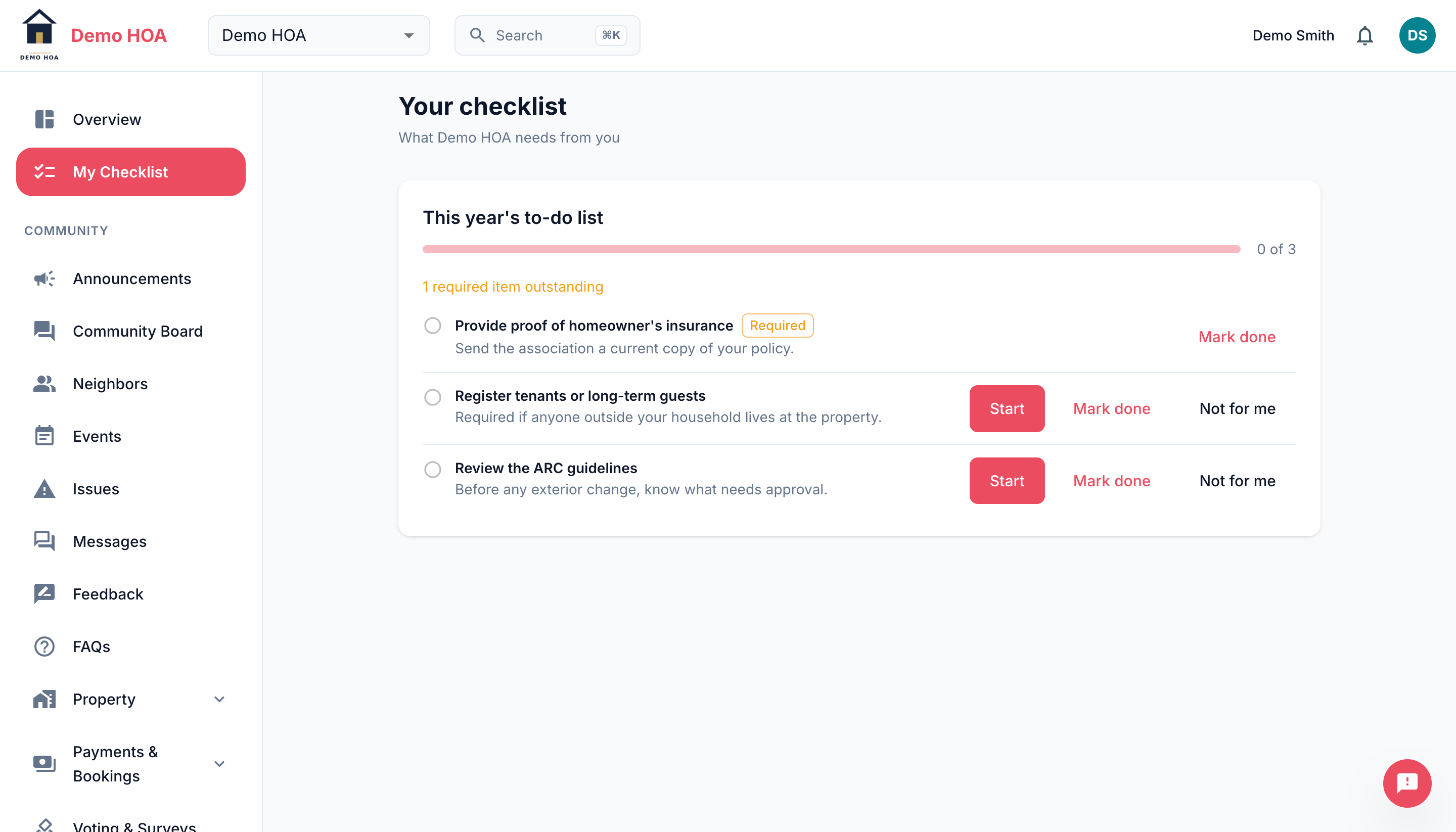 One required item and two optional ones.
 Start opens the page that completes the item.
The checklist is made of programs, each covering one cycle. A move-in program runs once. An annual program runs per year, so 2027 starts fresh without wiping what you did in 2026.
Items that tick themselves
Most items are derived: the backend reads your real records and decides. Paying your dues on the Payments page completes the dues item. Registering a vehicle completes the vehicle item. Signing your lease completes the lease item.
Derived items cannot be pressed, which is the point. There is no way for the list to say you have done something you have not, and no way for it to be stale.
Each derived item shows what proved it. Where the rule behind an item stands in for the real one rather than matching it exactly, the wording softens rather than asserting.
Items you act on
The rest link straight to where the work happens: your profile for contact details, My Household for vehicles and pets, the documents page for an acknowledgement.
The contact-details item is configurable by your community, so it may ask for a display name, a phone number, a unit number, or some combination. Your profile marks exactly those fields required.
Required and optional
Required items are what your community actually expects. Optional items are suggestions. The progress figure counts both, but the sidebar entry only appears while something required is outstanding.
Why it comes back
The checklist is not a one-time onboarding wizard. A derived item can regress: a new violation opens, a ballot opens, next year's dues cycle begins. When one does, the checklist reappears with that item outstanding.
If you cannot see it
Your community has the checklist switched off, or you have nothing outstanding.