Bookings
Reserve one of your community's spaces. Book a Space is where you make a
reservation; My Bookings is where you see the ones you have.
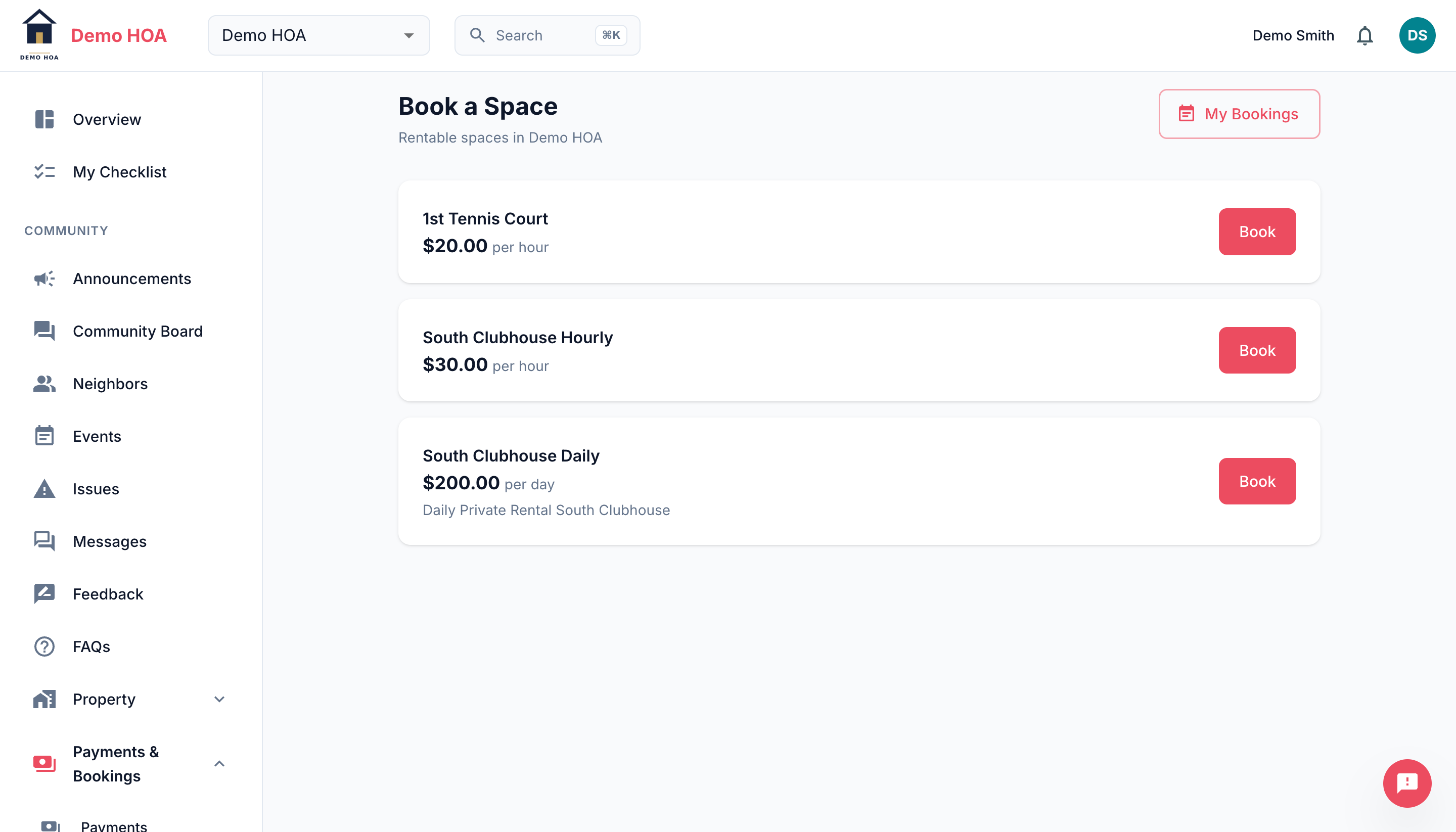 Two hourly spaces and one daily one. A space books the way it is priced.
How spaces are priced
A space is priced either per day or per hour, and it books the same way it is priced. A per-day clubhouse is booked as a date range; a per-hour court is booked as a start and end hour on one date.
A space can be free. Then there is nothing to pay and the booking comes back confirmed immediately, with no checkout step.
Availability
The date picker shows what is already taken. That includes other members' bookings, community events held in the space, and blackouts, which are periods an admin has closed the space for maintenance or a private function.
Paying
A paid booking is held as pending while you complete Stripe Checkout, and becomes confirmed once payment settles. A pending booking that is never paid expires and releases the slot.
Cancelling
Cancel from My Bookings. If you paid, cancelling refunds you automatically.
An admin can also cancel, usually for maintenance or a conflict, and may leave a reason, which you will see on the booking. That also refunds a paid booking.
Spaces you cannot book
Some spaces appear on the community calendar but not in your booking list. Those are events-only spaces, such as a front lawn or a lobby: the community schedules them but does not rent them out. That is a setting, not an error.