ARC Requests
Architectural review is how you get approval before changing the outside of your home: a fence, a deck, paint, a roof, solar panels, landscaping.
Submit before you start. An ARC committee approving something after the fact is a much harder conversation, and unapproved work is a common source of violations.
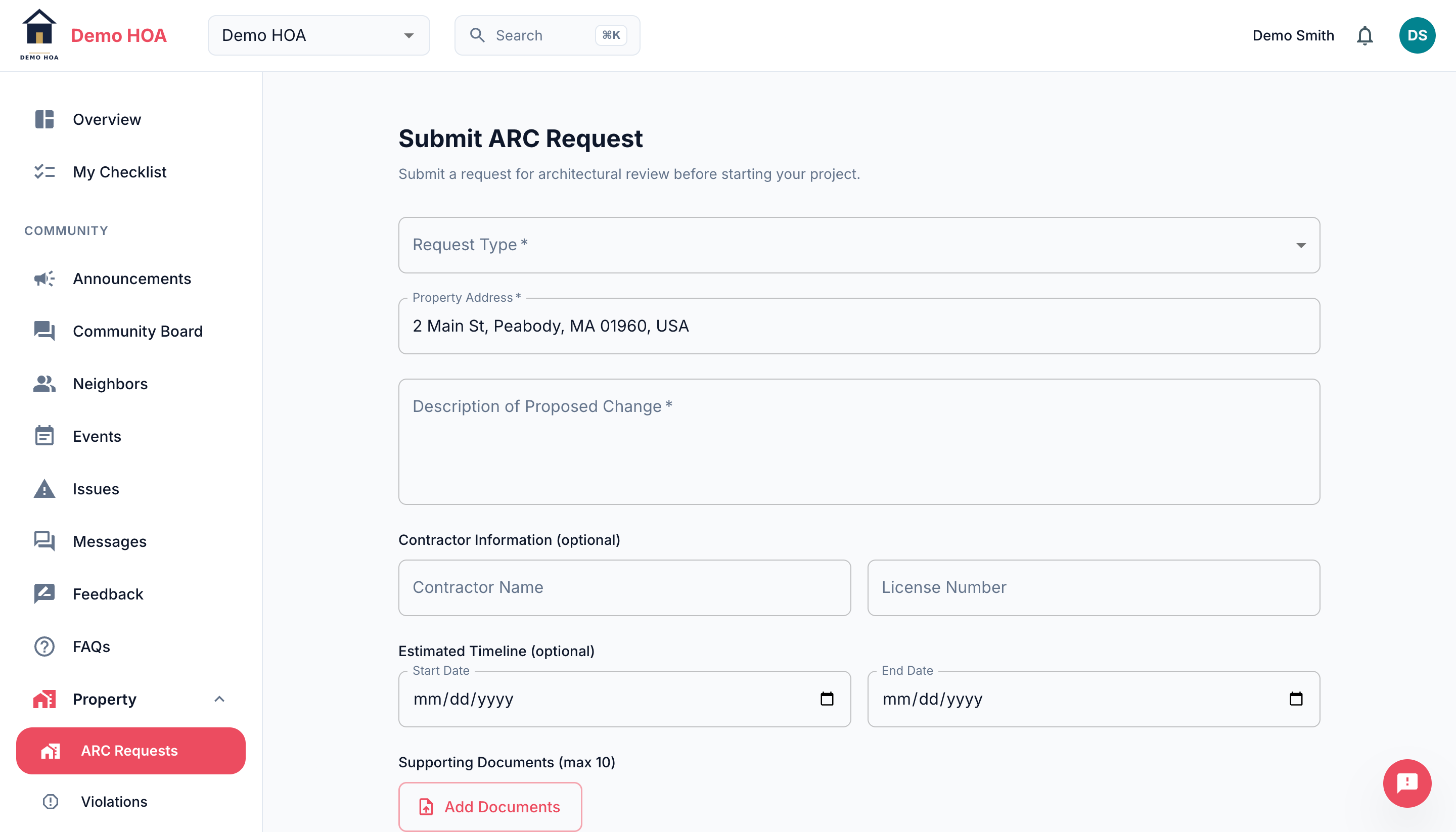 The property address is prefilled from your account. Request type decides what else you must supply.
Submitting
Pick a request type from the list your community configured. The type decides what you have to supply and how long review takes:
- Required documents: the specific things this community wants for this kind of work, such as a site plan, an elevation, a colour sample or a contractor licence.
- Review days: the target turnaround, so you know what you are waiting on.
Then provide the property address, a description of the work, optional contractor name and licence, estimated start and end dates, and the documents.
Decisions
A reviewer returns one of:
| Decision | Meaning |
|---|---|
| Approved | Go ahead as described |
| Approved with conditions | Go ahead, subject to the conditions in the note |
| Denied | Do not proceed as described |
Read the decision note on anything other than a plain approval. Conditions are binding, and "approved with conditions" plus ignored conditions is how an approved project becomes a violation.
Comments
You and the reviewers can comment on a request. Use it to answer a question about your plans or to supply something that was missed, rather than starting a second request.
Where they show up later
Open and recent ARC requests appear on your Overview. They also appear on a resale packet when your property is sold, which is one more reason to get approvals recorded properly.