Digital signage
A full-screen display view for a TV in a lobby, clubhouse or leasing office.
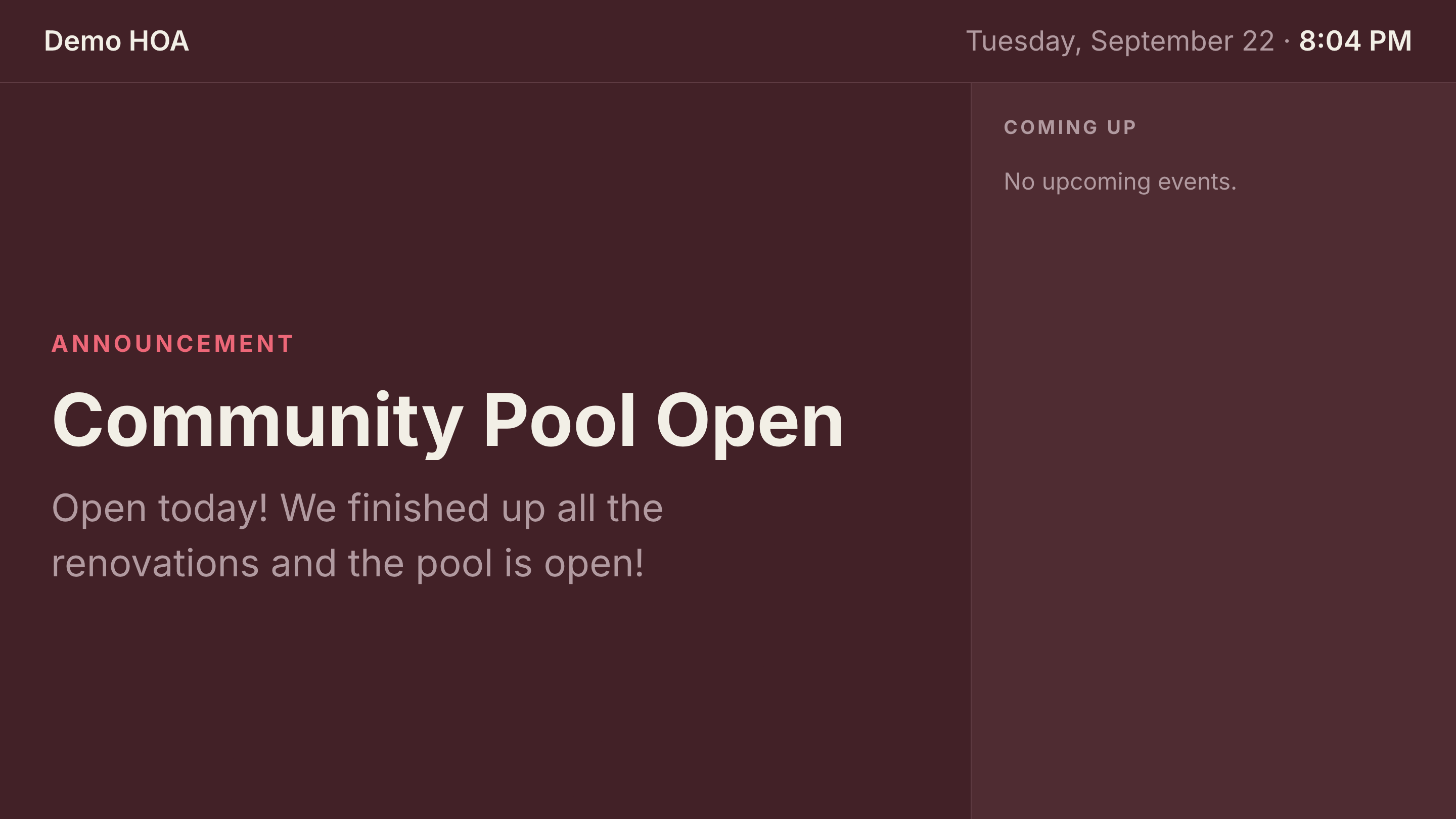 The bulletin layout: one announcement at reading-across-a-room size, with upcoming events beside it.
Requires the Signage entitlement, which is sold separately from the public website and works without one. Configure it in Community Settings > Signage.
Setting up the TV
- Turn the screen live in settings.
- Copy your display URL, which the settings page shows and can copy for
you. It is
/signageon your community's host, sohttps://demohoa.civicport.io/signage. - Point a signage player or a browser at it, full screen.
On an Amazon Signage Stick, add the URL as a Web Page in your signage CMS app. Yodeck, Xibo and AbleSign all support this, and Yodeck is free for a single screen.
The display needs no sign-in, which is what makes it work on a device you cannot type a password into comfortably. Treat it accordingly: it shows only public content.
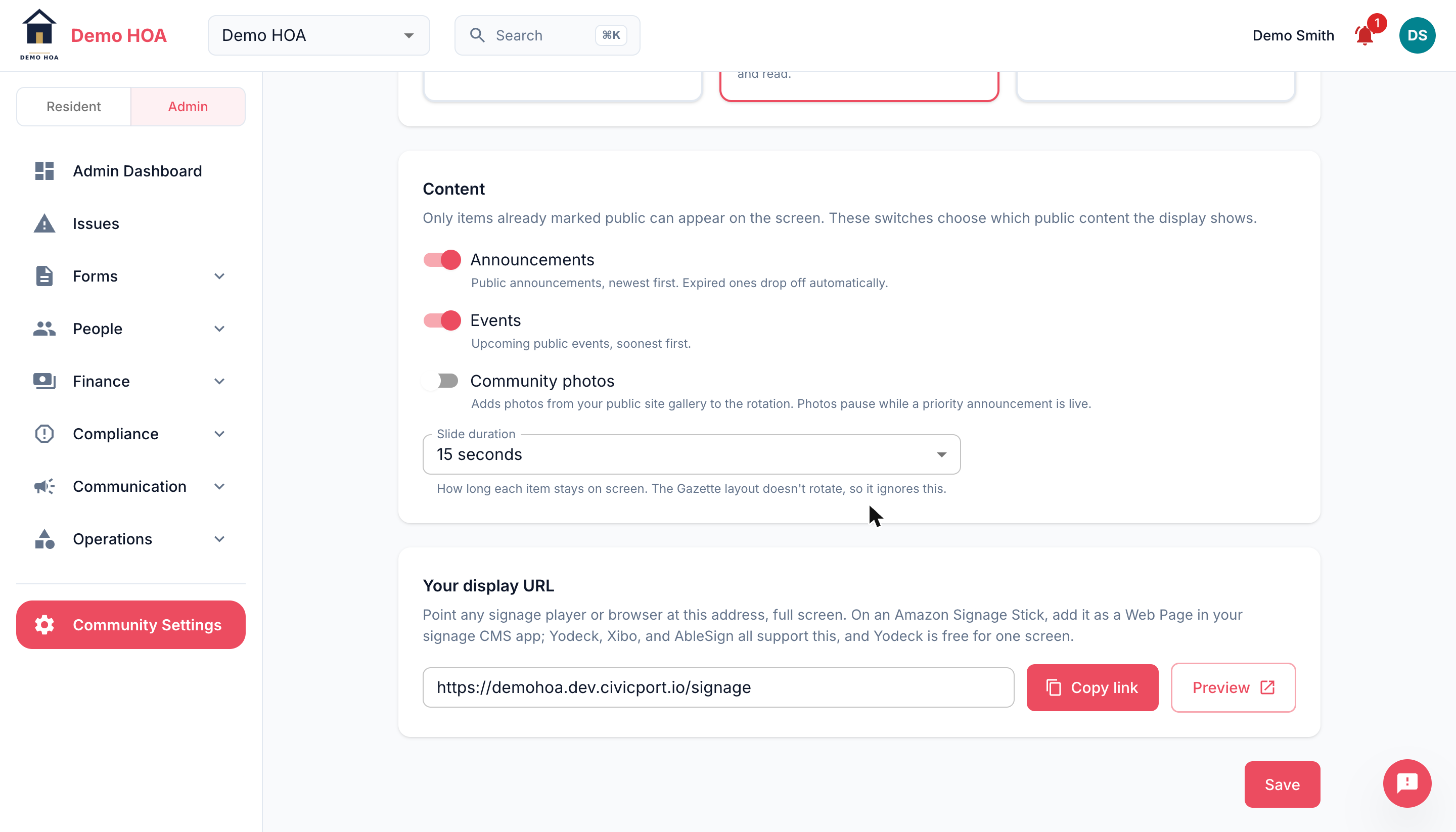 Only content already marked public can reach the screen. The settings page copies the display URL for you.
What rotates
| Switch | Shows | Order |
|---|---|---|
| Announcements | Public announcements. Expired ones drop off by themselves | Newest first |
| Events | Upcoming public events | Soonest first |
| Community photos | The public site gallery | In gallery order |
Only items already marked public can reach the screen. These switches choose among that public content; they cannot promote something private to the TV.
Slide duration is 5 to 120 seconds, and 15 to 30 suits a lobby people walk through. Gazette ignores it, since it does not rotate.
Layouts
| Layout | For |
|---|---|
| Marquee | One item at a time, biggest type. For screens people walk past |
| Bulletin | A featured announcement plus an event agenda rail. For lobbies where people wait and read |
| Gazette | A grid of the latest items, no rotation. For a single glance |
Gazette does not rotate at all, so slideSeconds does not apply to it. Pick by
how long someone stands in front of the screen: walking past wants marquee,
waiting wants bulletin, glancing wants gazette.
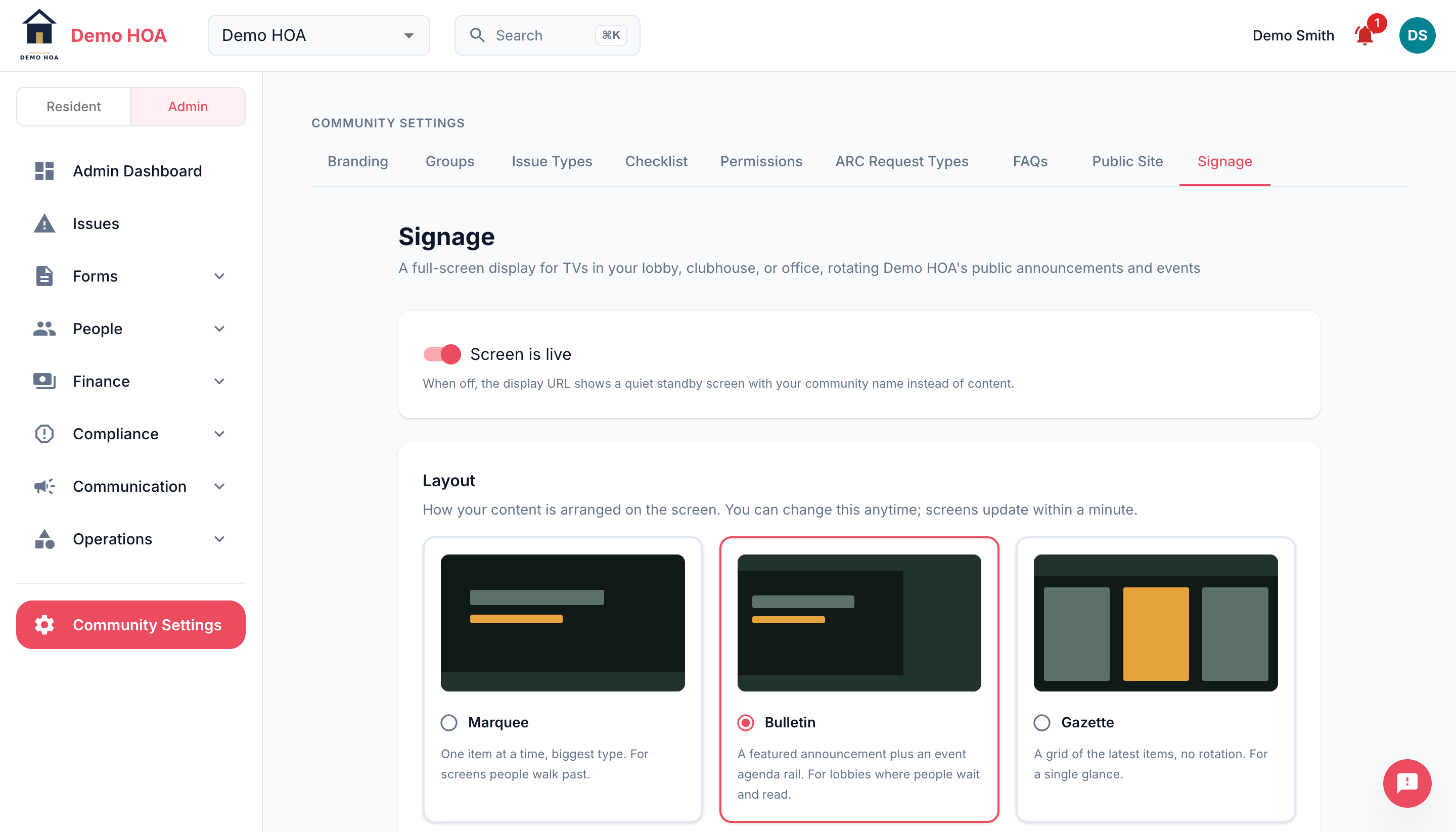 Changing the layout takes effect on the screen within a minute, with no need to touch the TV.
Priority announcements
A priority announcement takes the screen: photo slides pause and only priority announcements rotate until they expire. The photos switch says so in as many words, so the behaviour is visible at the moment you turn photos on rather than discovered later.
Use it for closures, outages and same-day changes. Always set an expiry.
When it is switched off
A screen that is not live renders a quiet standby view rather than an error page. A TV showing a 404 in a lobby is worse than a TV showing nothing.
Works without a website
The signage feed serves even for a community that never published a public site. The screen dresses itself from your branding and gallery either way.