Public Site
The settings behind your community's public website. Requires the Public Site entitlement.
This page is the control panel. For what the site is, how the templates differ and how domains work, see the public website.
Publishing
One switch. Nothing is public until you turn it on.
It is opt-in twice. Publishing the site does not publish your content: each announcement, event, document, FAQ, listing and floor plan also has its own publicly visible flag. Nothing leaks by default, and there is no bulk publish.
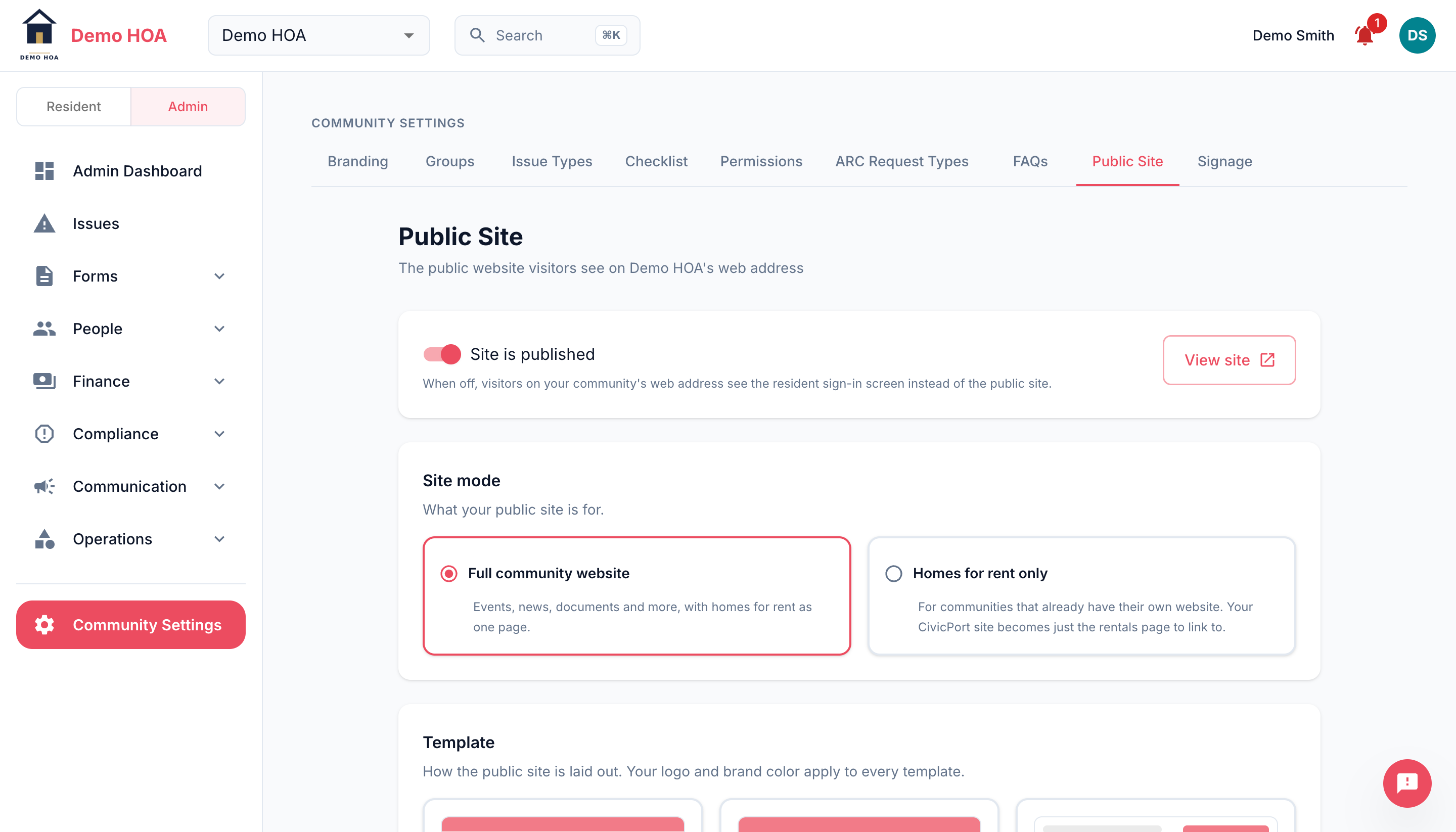 The Community Settings tab strip runs across the top of every configure-once page.
Mode
| Mode | The site is |
|---|---|
| Full | A community website, with homes for rent as one of its pages |
| Listings only | The rentals page itself, and nothing else |
Listings-only is for a community that already runs its own website and just wants somewhere to link to.
Template
Six templates: classic, modern, minimal, estate, foundry, porchlight. They differ in layout and typography, not in what they can show. See templates.
Sections
Toggle each independently: events, announcements, documents, FAQs, listings, photos, about, contact, join call to action, RFPs.
A section with nothing publicly visible in it renders empty, so turn off what you are not publishing.
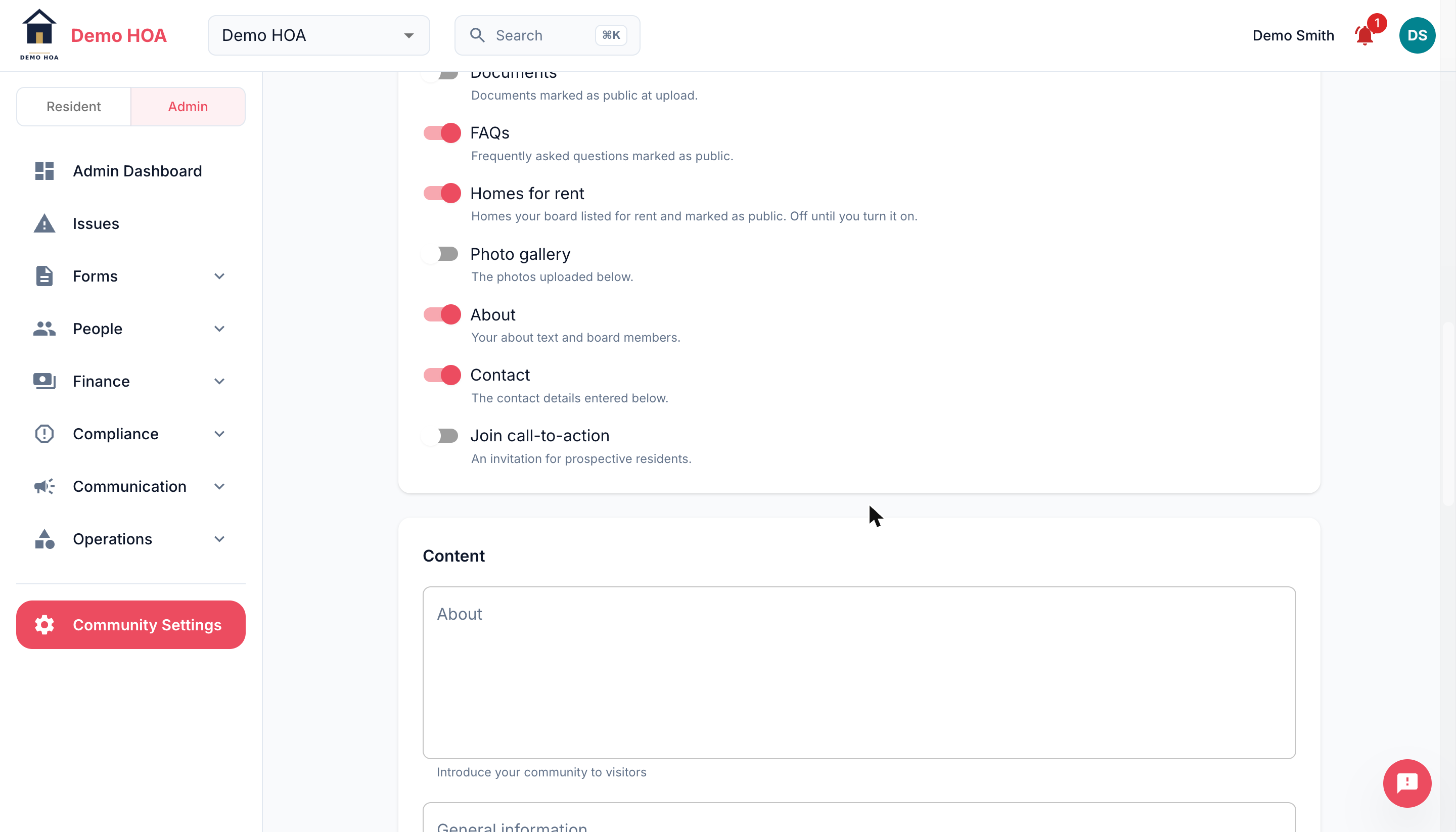 Each toggle says where its content comes from, so an empty section is traceable to the flag that feeds it.
Content you write here
- About text and general information text.
- Board members, as name and role.
- Contact details: email, phone, address. Everything here is public, so use an office address and a shared inbox rather than a board member's home and personal email.
- Social links, from a fixed set: Facebook, Instagram, X, YouTube, LinkedIn, plus a generic website link for anything else. Each renders its own icon, which is why the set is closed.
- Join call to action text. The form it opens is a request to be invited, not an invitation, and creates nothing on its own.
- Photos, with captions, in an order you control.
Signage
The lobby screen is configured on its own tab and has its own entitlement. It works whether or not you publish a website.
Domains
Serve on your subdomain, buy a domain through CivicPort, or connect one you own. See custom domains.