Issue Types
The list residents choose from when reporting a problem, and how each one is routed.
An issue type is more than a label. Each carries:
| Field | What it does |
|---|---|
| Name and description | What residents pick from, and what the description tells them it covers |
| SLA | The response time this type is held to, in hours |
| Default group | The work group issues of this type are assigned to on arrival |
The default group is the part worth getting right. It means a pothole report reaches the road crew without anyone triaging it by hand, and it is why groups is worth configuring before issue types rather than after.
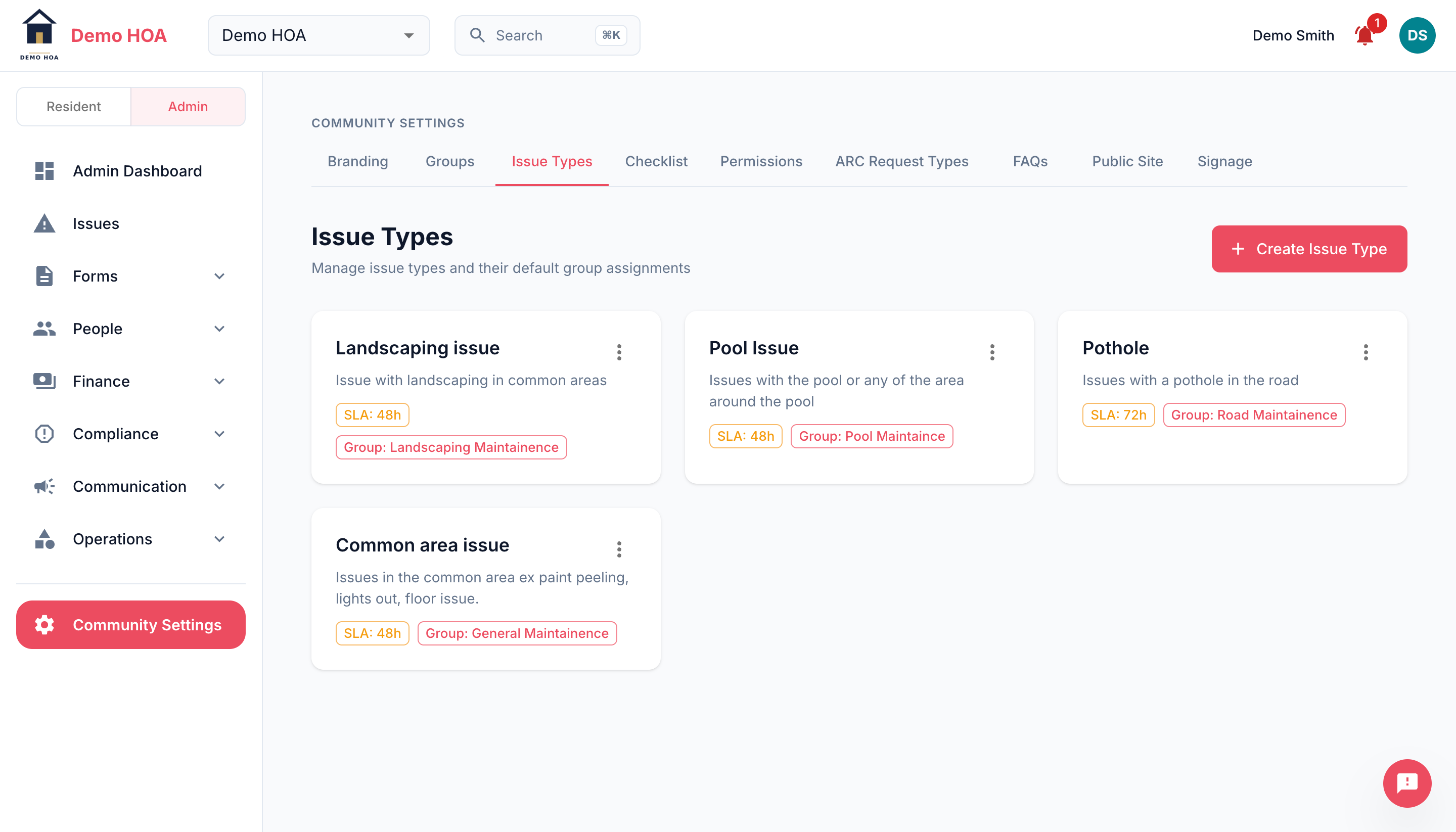 Each type shows the hours it is held to and the group it routes to.
Choosing your categories
Aim for the smallest list that routes correctly. Every category should map to somebody who acts on it. Categories nobody owns produce reports nobody works.
A reasonable HOA set: Landscaping, Common Area Maintenance, Lighting, Parking, Pool, Gates and Access, Noise, Pets, Other.
Keep an Other. Without one, residents pick the nearest wrong category and your reporting lies to you.
Why it matters later
Issue types are what the admin dashboard breaks down by, what your SLA reporting is measured against, and what your routing runs on. Changing them later means either recategorising history or reading charts with a discontinuity in them.
This is also the one required item on your setup checklist: without issue types, everything arrives as Other.
Changing them
You can add, rename and remove types. Renaming keeps existing issues on the renamed type. Removing one leaves historical issues pointing at a category no longer offered, which is usually fine but means the dashboard shows a category residents can no longer pick.