Resale Documents
When a home in your community sells, the title or escrow company needs a statement of what the owner owes and what encumbers the property. This is where you sell and produce those packets, rather than assembling one by hand each time.
Requires the Resale entitlement. Not offered to municipalities.
What you sell
| Product | Contains |
|---|---|
| Resale certificate | The statement of assessments, balance, violations and approvals |
| Lender questionnaire | What a mortgage lender asks about the association |
| Governing documents | The document packet on its own |
Each product is separately enabled and separately priced.
Settings
- Prices per product, and a description the requester reads.
- Rush, with a surcharge and a shorter turnaround.
- Standard and rush turnaround days, which set each order's due date.
- Transfer fee, which appears on the certificate.
- Certificate notes, standing text your community puts on every one.
- Document types that ride along with the packet.
- Notify emails, who is told when an order comes in.
Statutory caps
Where CivicPort holds a verified statutory cap for your state, the settings page shows it: the maximum base charge, the maximum rush charge, whether the cap is aggregate, the required delivery window, and the citation.
No cap shown means CivicPort does not encode one for your state, either because the state is not set on the community or because there is no verified cap on file. The page is explicit that this is not a claim your state has no rule: California requires the fee to track actual cost, and several states forfeit the fee entirely if the packet is delivered late.
Check your state's rules with your attorney before publishing prices.
Platform fee
CivicPort keeps 10% of each order, never more than $30, deducted from your community's charge rather than added to the requester's total. The rest is paid straight into your community's Stripe account.
The settings page does the arithmetic per product as you type, so a $250 certificate shows "You receive $225.00" beside it. Read that figure, not the price, when a board is deciding what to charge.
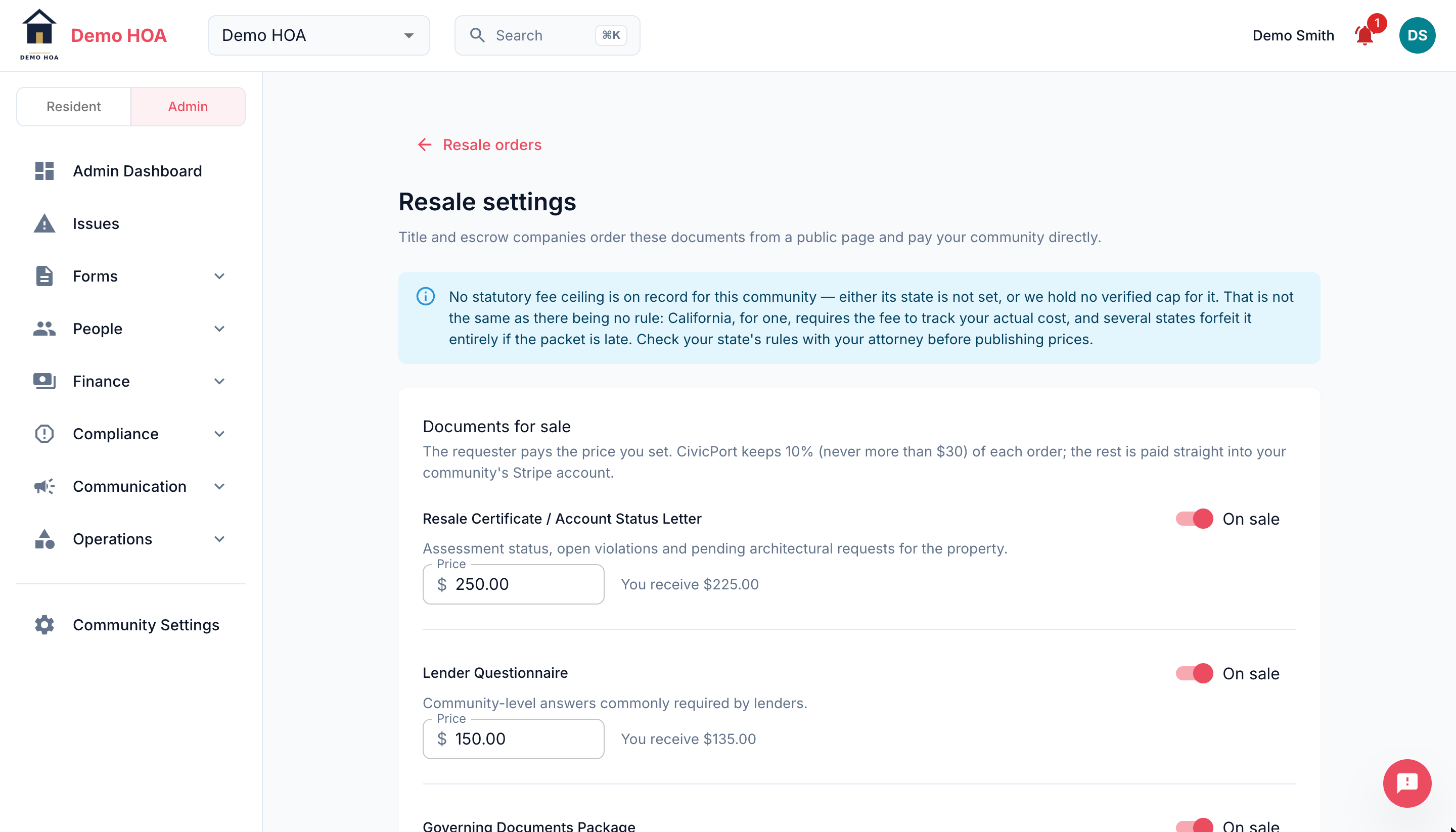 Each product prices separately and shows the net. The banner above is the statutory-cap warning.
How an order arrives
A title company finds your community in the public resale directory, picks a product, fills in the property and closing details and pays. They get a tokened link to follow the order without an account.
Orders arrive as paid and move through in progress to issued. The queue defaults to a "needs action" filter, so what you see on opening it is the work, not the archive.
Community admins are always emailed when an order is paid. The notify list adds people beyond that, it does not replace it.
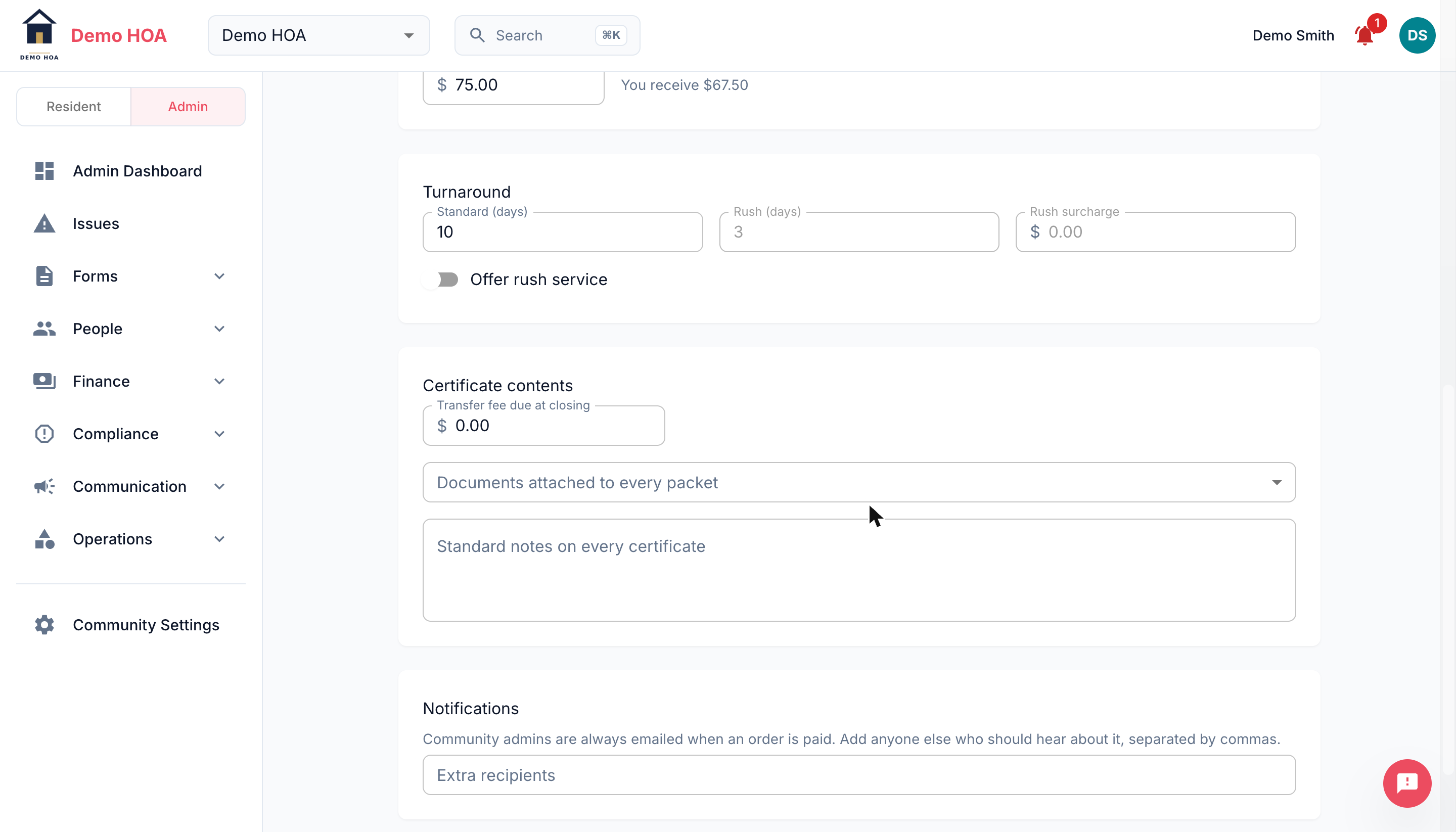 Standard turnaround sets each order's due date. Rush is off until you switch it on and price it.
Fulfilling one
Open the order and CivicPort assembles a draft from live data:
- The owner and the property.
- Current assessments and what is still owed, line by line.
- The transfer fee.
- Open and recent violations.
- ARC requests.
- Selected community documents.
Every field is editable before you issue. The backend re-reads nothing at issue time, so what you approve is exactly what is delivered.
Records belonging to another of the owner's properties are set aside and shown during review but kept off the certificate, so a second home's violations do not land on this closing.
Issuing generates the packet and makes it downloadable from the requester's link. Every step is recorded on the order's event timeline with who did it and when.
Why the records matter
The packet is only as good as what is in the system. Violations never logged and ARC approvals never recorded do not appear, and a resale certificate is the document people rely on at closing.