Budget
Set an annual budget per category, on both sides of the book, and see actuals against it.
How it works
Pick a year. Enter a budget figure for each income category and each expense category. The page fills in actuals from the same data the financial reports use, so the two always agree.
Each line shows budget, actual and the gap. The totals do the same for the whole year.
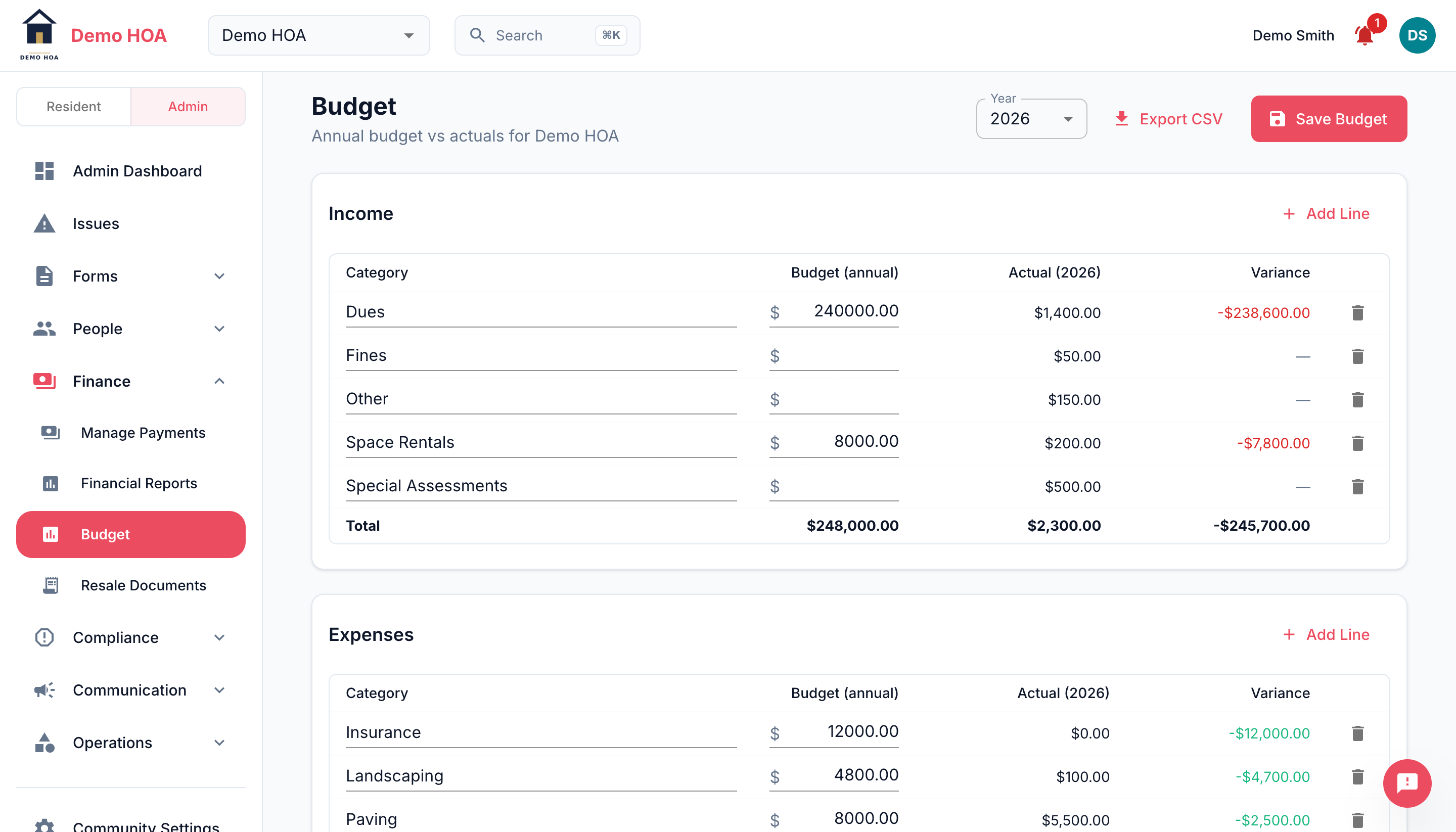 Budget, actual and variance on both sides of the book, for the year you pick.
Using it
Two jobs:
- Setting dues. Budgeted expenses divided by the number of homes is where next year's assessment comes from. Doing it from last year's actuals rather than last year's budget is how you avoid compounding a mistake.
- Explaining variance. A board meeting where somebody asks why landscaping is over is much shorter when the category line and the receipts behind it are both one click away.
The page records when the budget was last saved and by whom, so "who changed the reserve line" has an answer.