Admin guide
This guide follows the admin sidebar exactly, so a page here maps to a screen you can open.
Who is an admin
| Role | Scope |
|---|---|
| Community admin | One or more specific communities. Everything in this guide. |
| Super admin | The whole platform. Everything here, plus platform administration. |
| Delegated permission holder | An ordinary member granted one specific power, such as creating RFPs or posting announcements. Not an admin otherwise. |
Most community admins are also residents of the community they administer. When
you are both, you keep your resident pages and gain the admin ones, and a
View as resident toggle hides the admin side so you can check what members
actually see.
The sidebar
| Section | Contains |
|---|---|
| Admin Dashboard | Issue statistics and trends |
| Issues | The same issue list residents use, with assignment and status controls |
| Forms | Links out to CivicPort Forms |
| People | Members, applications, household registry, families, leases, credits |
| Finance | Payments, reports, budget, resale |
| Compliance | Violations, ARC review |
| Communication | Announcements, resident messages, messaging setup, board moderation, events, feedback review |
| Operations | Spaces, homes for rent, floor plans, voting, documents, RFPs, approved vendors |
| Community Settings | Branding, groups, issue types, checklist, permissions, ARC request types, FAQs, public site, signage |
Sections appear only when the features inside them are switched on for your community, so your sidebar is probably shorter than this table.
Operate and configure
The split is deliberate. The groups above Community Settings are day-to-day work. Community Settings holds the configure-once pages, which is why they share one entry and render as tabs rather than taking nine sidebar rows each.
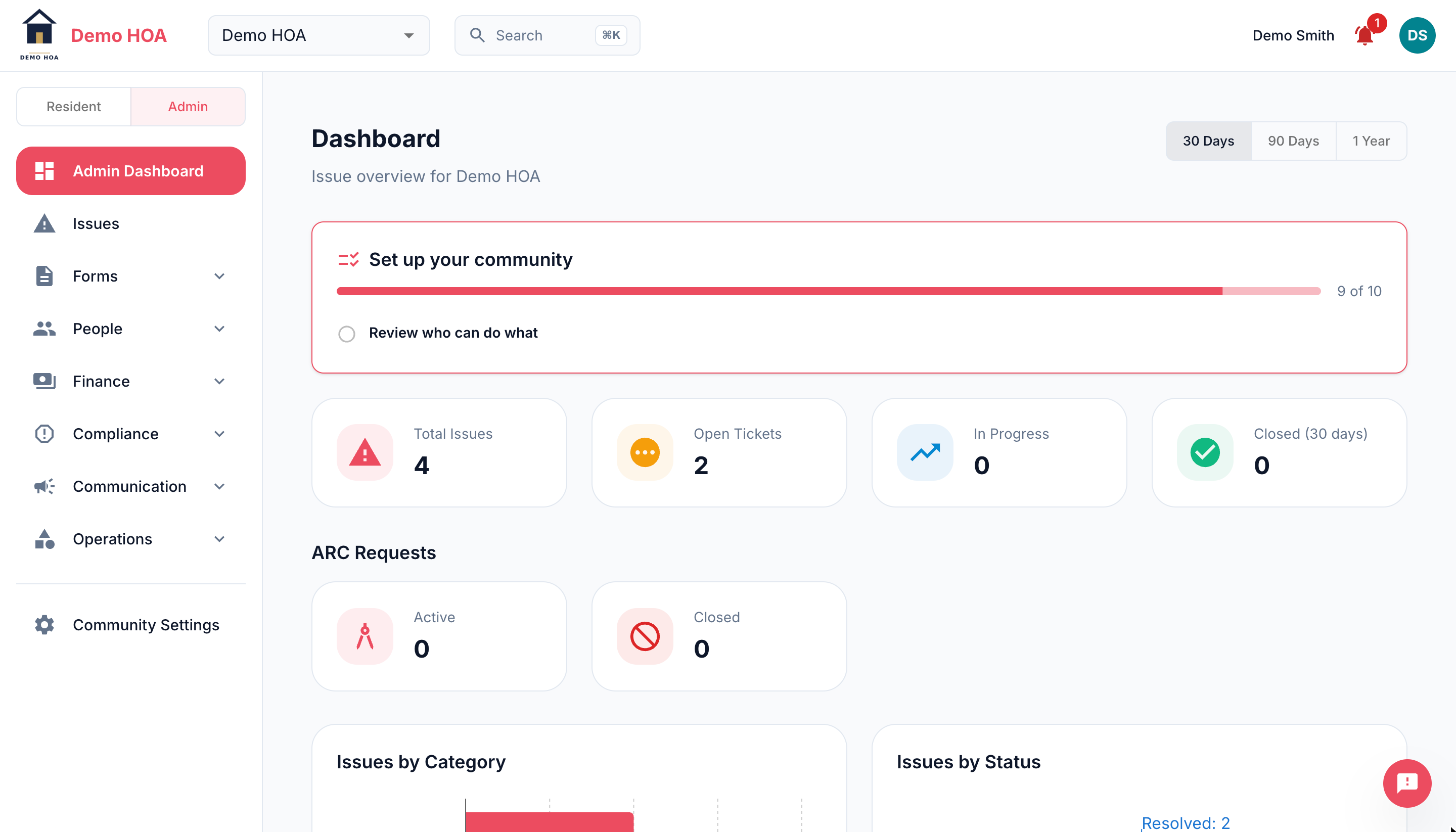 The operate groups collapse; Community Settings sits below them as a single entry.
Finding things fast
There is a command palette. Type what you call the thing rather than what the screen is labelled: "dues" finds Payments, "pool" finds Bookings, "background check" finds Applications, "signatures" finds Credits. It indexes the settings tabs individually even though the sidebar shows one entry for all of them.